 Cheese Wheels Apps
 Markdown
 docs
Confluence search
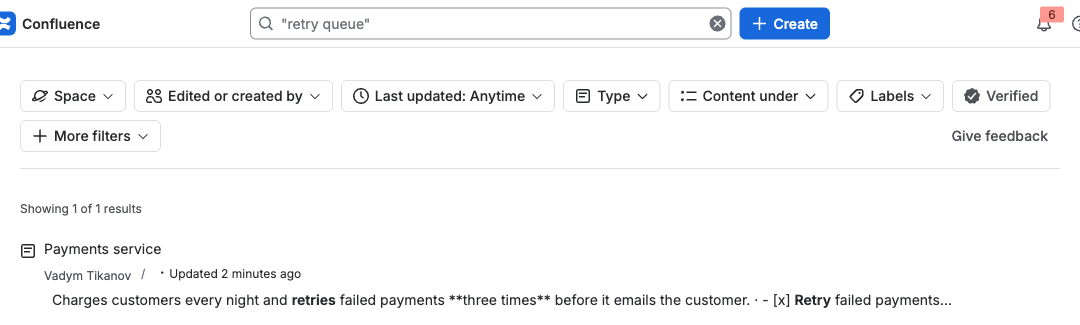
Confluence search finds the words in your Markdown, like any other text on the page.
The Markdown in each macro is indexed by Confluence. Search for a word or phrase from it — in the search bar, in advanced search or with CQL text ~ "…" — and the page shows up in the results.
How it works
The app saves your Markdown as the macro’s text in the page, and tells Confluence to index it. You don’t need to do anything: it works for every macro, including ones written by AI agents and scripts.
For an attached .md file, search uses the copy the macro saved when you last chose Insert or Save.
Good to know
- Markdown symbols like
#,*and|don’t get in the way: search matches the words around them. Excerpts in the results show the Markdown as plain text. - Very long pages. Confluence indexes roughly the first 225 KB of a page’s text — about 70 printed pages. Words beyond that aren’t found, for any content, not only Markdown. Split very long documents across several pages.
- New and edited pages appear in search after Confluence indexes them, usually shortly after you publish.