 Cheese Wheels Apps
 LaTeX
LaTeX docs
LaTeX for Confluence Cloud
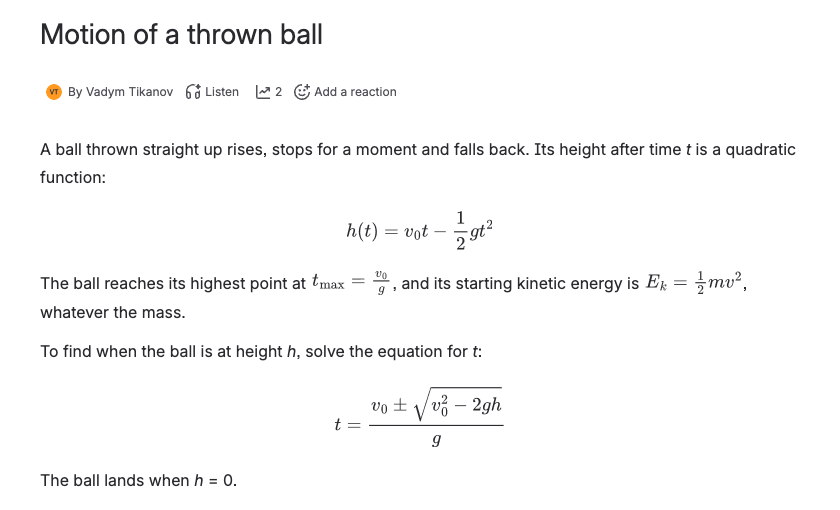
Write clear, sharp math formulas on Confluence pages — in LaTeX, with a live preview.
LaTeX adds two elements to the Confluence editor:
- LaTeX block formula — a formula on its own line, for equations you want to stand out.
- LaTeX inline formula — a formula inside a sentence, like E = mc² in running text.
Both open the same editor: type LaTeX, see the rendered formula as you type, and insert it with one click.
Get started
- Install the app on your Confluence Cloud site.
- Add a block formula or an inline formula to a page.
- Learn the LaTeX basics, or pick from the symbol library.
What else to know
- Your data stays in Atlassian. The app is built on Atlassian Forge and runs on Atlassian’s infrastructure. It stores nothing of its own: each formula is saved in your page, by Confluence.
- Nothing is ever lost. Each formula’s LaTeX is saved in your page. If your subscription ends, formulas show as LaTeX code until it’s renewed. See Subscription and licensing.
- Works everywhere your page goes: in dark mode, on public pages, for anonymous viewers, and in PDF and Word export.